
Update device software
When a new version is available, update lights, switches, the smart hub and Smart IR right from the app — with screenshots.
Updated:
Screenshots show the app in Vietnamese. The English app has the same screens, with the buttons in the same places.
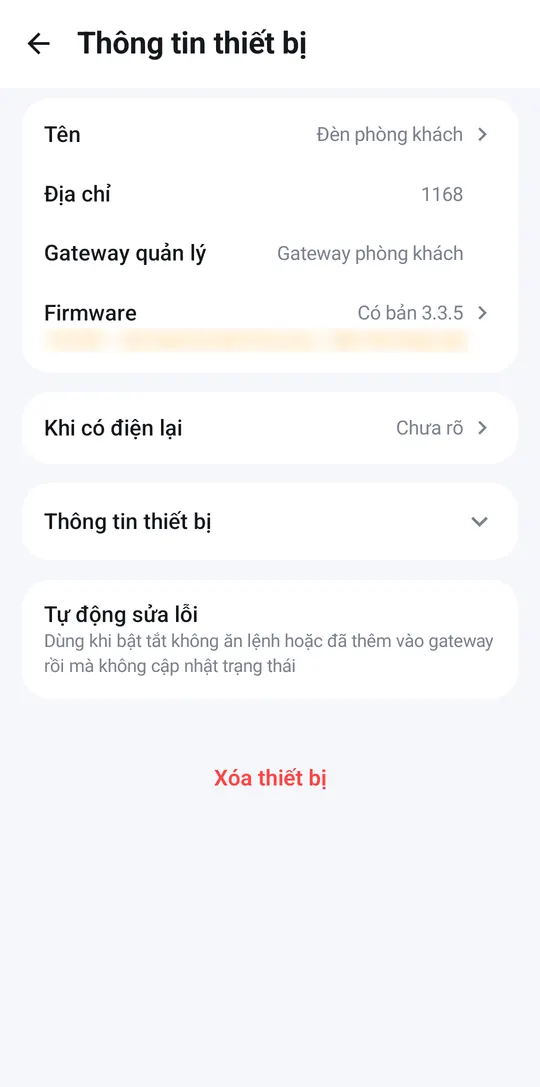
From time to time devices get new software for better reliability or new features. When one is available, open the device → ⋮ → Device info: the version row (Firmware for lights, switches and sensors; Version for the smart hub) says a new version is available — tap it to update.
Lights, switches and sensors
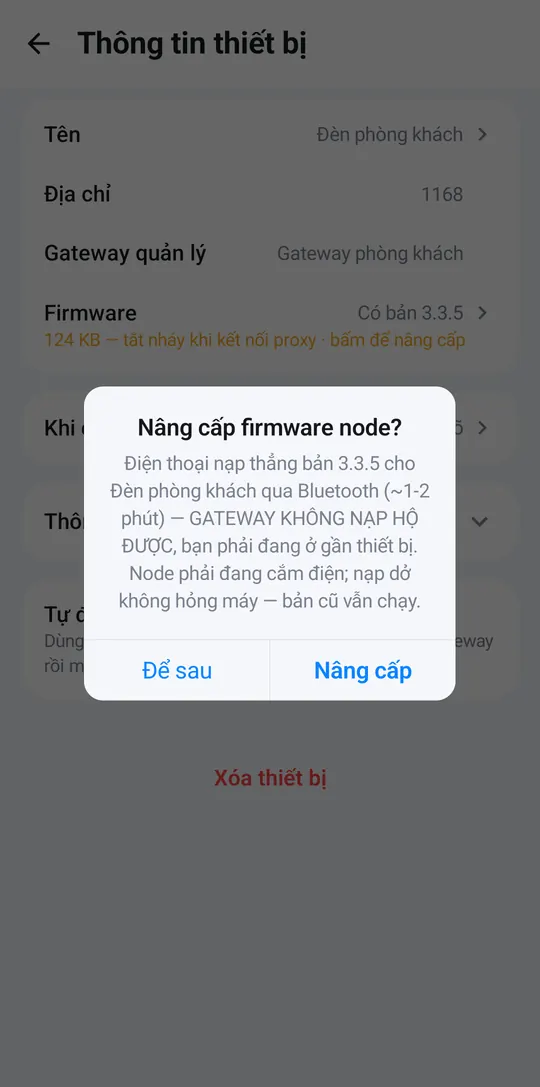
- Tap the row that says a new version is available, then tap Update (or Later if you’d rather wait).
- Your phone updates the device directly; it takes about 1–2 minutes. Stay close to the device and don’t switch off its power meanwhile. An interrupted update doesn’t harm the device — the old version keeps running.
- When the app says it is done, you are finished. If it fails, move closer and try again.
Smart hub, Smart IR and Wi-Fi plugs
Tap the version row and confirm. The device downloads the update over Wi-Fi and restarts in about 1 minute. While the hub restarts, your devices briefly show in grey and then come back on their own.
Updating needs an Internet connection.