
Share with your family
Invite family members to your home and choose who can control which room and who can change settings — with screenshots.
Updated:
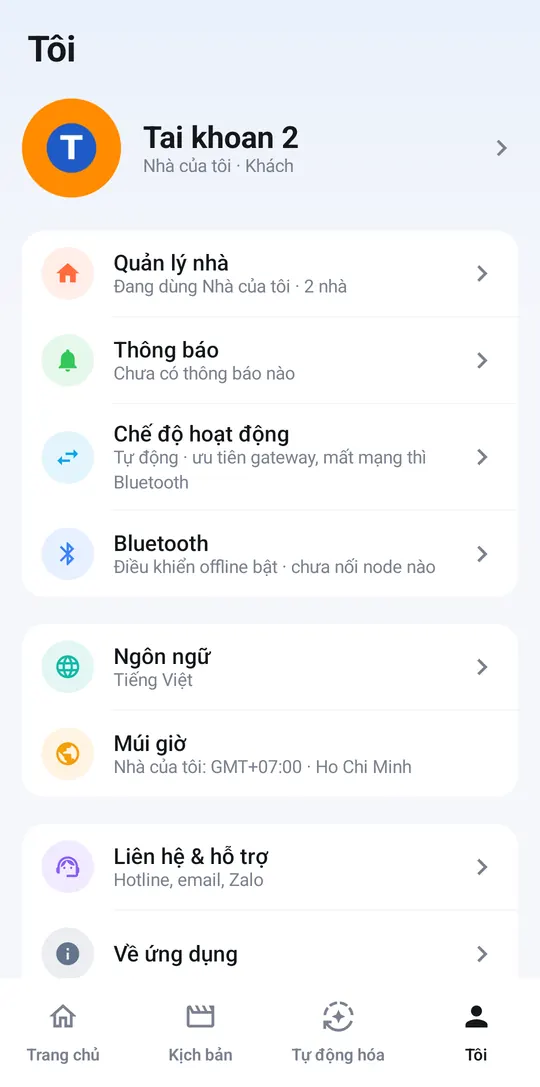
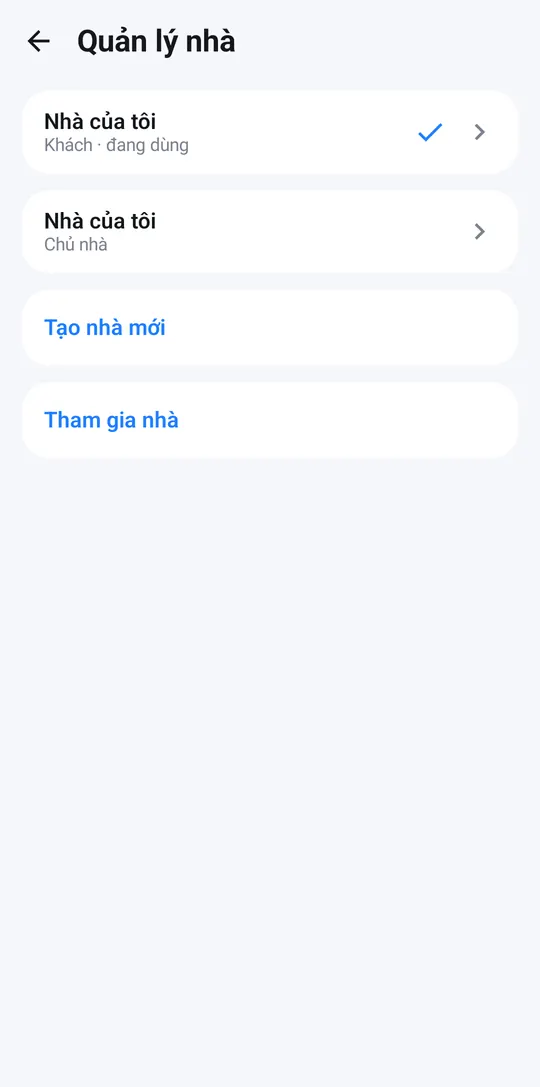
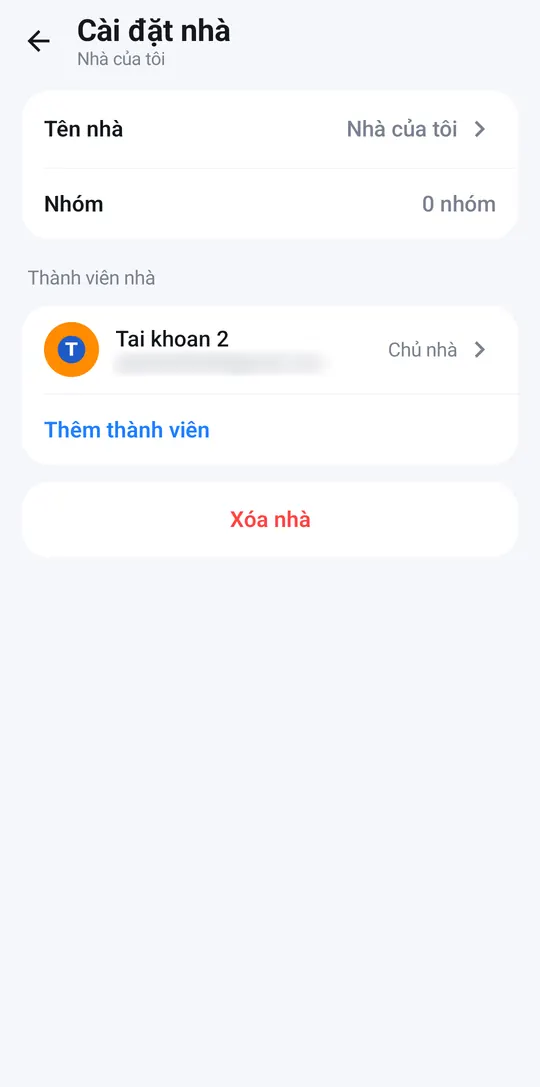
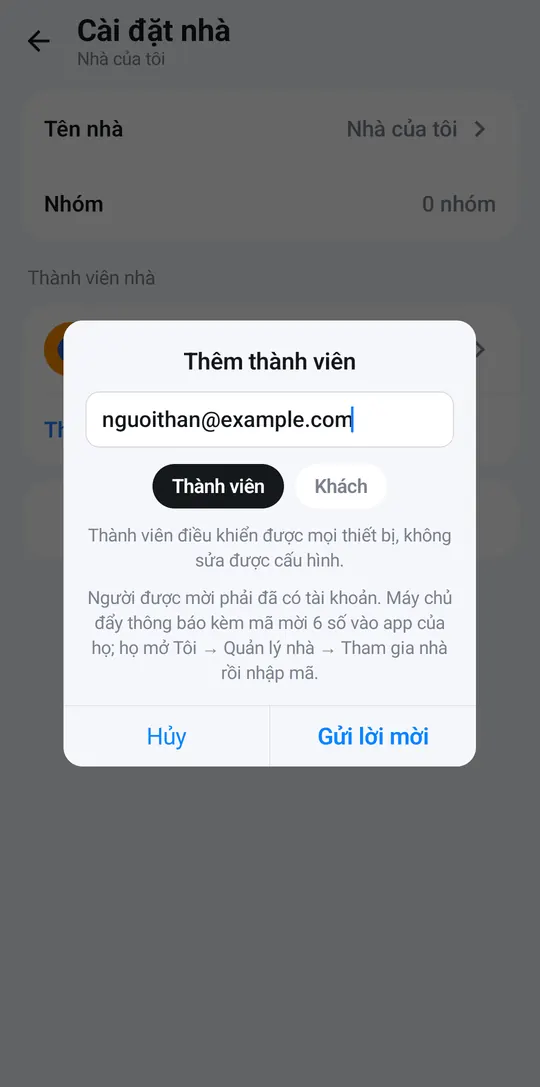
Screenshots show the app in Vietnamese. The English app has the same screens, with the buttons in the same places.
Invite someone
Only the home owner can invite people. The person you invite needs an existing Halu Home account.
- Me → Manage homes, tap > on the home card to open Home settings.
- Under Home members, tap Add member.
- Enter their Email, choose Member or Guest, and tap Send invitation.
- They receive a notification with a 6-digit invitation code. They go to Me → Manage homes → Join a home, enter the code and tap Join. The code is valid for 7 days.
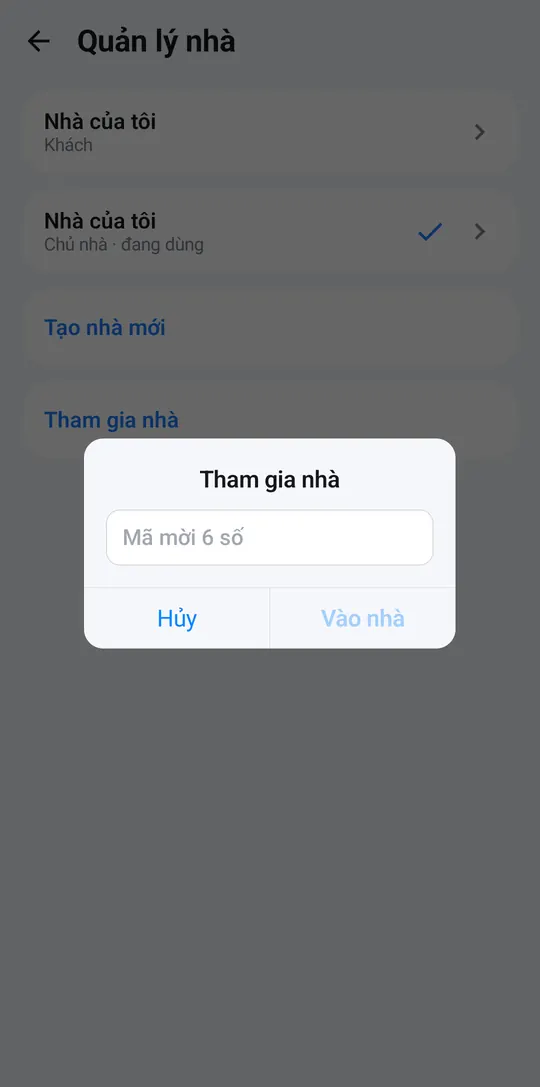
Roles
| Role | What they can do |
|---|---|
| Owner | Everything, including inviting / removing people and renaming or deleting the home. |
| Member | Control every device, but not change settings. |
| Guest | Control only what you grant. |
Fine-grained permissions
Tap a person in the member list → + Grant permission, then choose:
- Whole home, with three levels: control only; full control (edit what already exists); full control + add & delete (including adding and deleting devices).
- One group — e.g. just the kids’ room.
- One device.
- One scene — run only.
- One automation — on/off only.
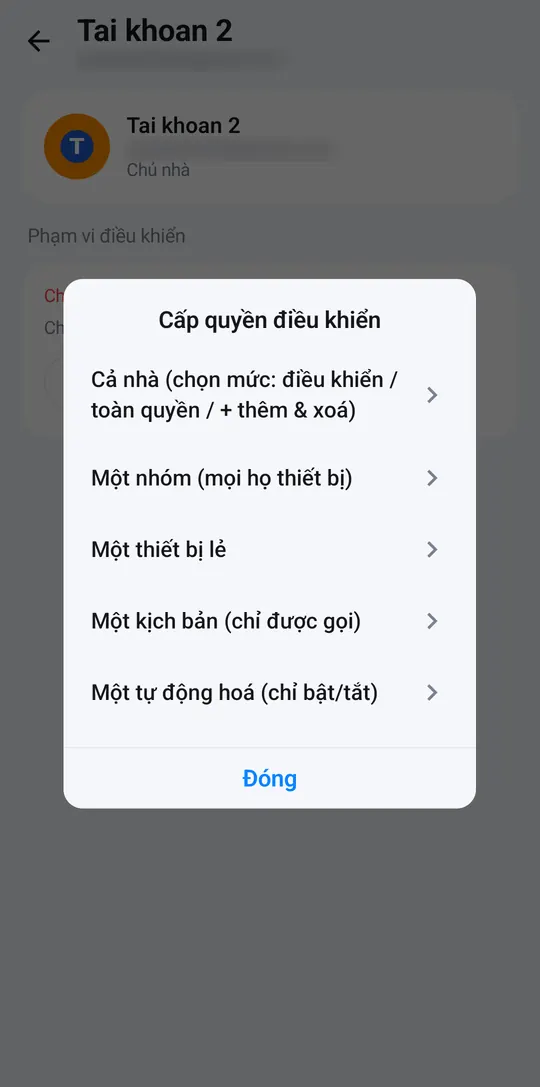
Inviting / removing people and renaming or deleting the home are always owner-only. To hand the home over, tap the person → Transfer ownership. To remove someone: Remove from home. Non-owners can leave with Leave home.
People with control permission can also control devices from their phone at home, even when the Internet is down.